Managing Users
Access within Aras Innovator is managed by defining Logon Users and Identities. A Logon User is a unique individual that has login rights within the Aras Innovator application. Each Logon User belongs to a unique User Identity defined by an alias assignment. User Identities are then assigned access rights, and can be grouped into Group Identities. A Group Identity may be composed of Individual Identities or other Group Identities, and each group identity may have its own set of access rights. The idea behind these Identities is to define a membership structure for controlling and managing access rights.
Let's look at the following figure for a picture of a sample structure.
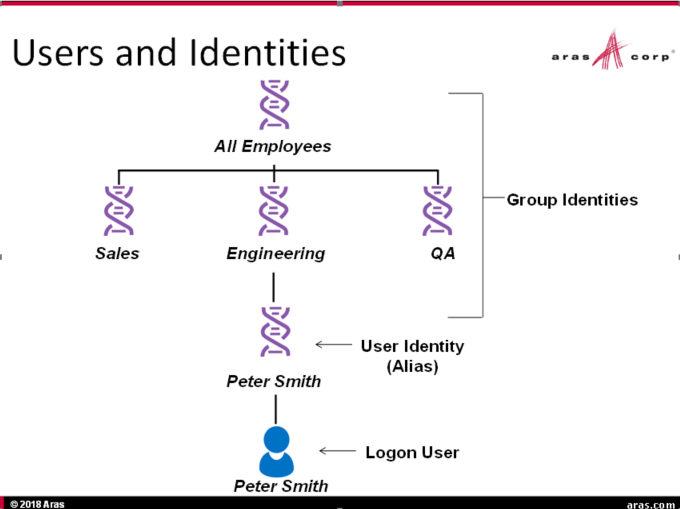
As a best practice, we recommend a process of setting up User Identities similar to building a company organization chart. Here is a list of steps to make this process easier.
- Create identities for the top-level department headings, for example: Engineering, Sales, and Marketing.
- For each top-level heading, create subordinate departments. For example, Engineering might have: Development, Support, and QA. Support, in turn, might further consist of: Customer Support, Documentation, and Training. Make sure you add the subordinate departments as members to their respective group identities.
- Once the departmental structure is in place, create individual user identities and add them to their respective departments. In Innovator, one user identity can belong to more than one group.
To understand the process of creating users and assigning them to groups, follow the links below: